
Enhance & Upscale Images with AI
The AI image quality enhancer and upscaler that actually works. Upload a small or blurry image, pick 2x or 4x, and download a sharper, larger version in seconds. Improves quality by adding real detail — not just stretching pixels.
- Free to try
- No download
- No account required
Free to try · 1 credit per upscale · No credit card required
See the Difference
Real before-and-after examples of images upscaled with our AI technology.
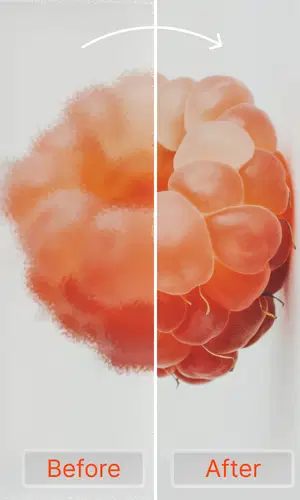
Food Photography

Product Image

Lipstick Close-up

Girl Portrait

Animal Close-up
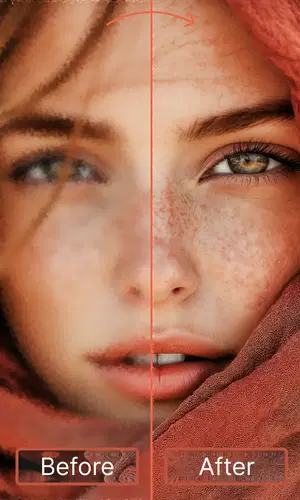
Eye Detail
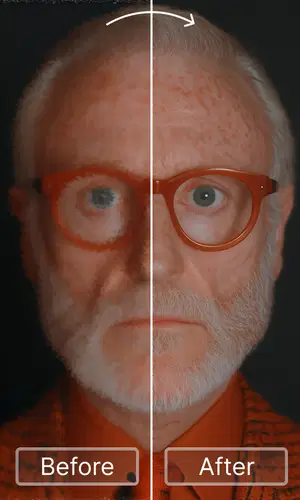
Old Man Portrait
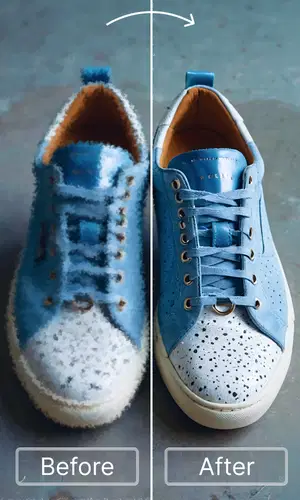
Shoe Detail

Upscale Portraits
Sharpen face details, recover texture in skin and hair, and bring portrait photos up to print resolution. Works well for headshots, selfies, and group photos alike.
Start Upscaling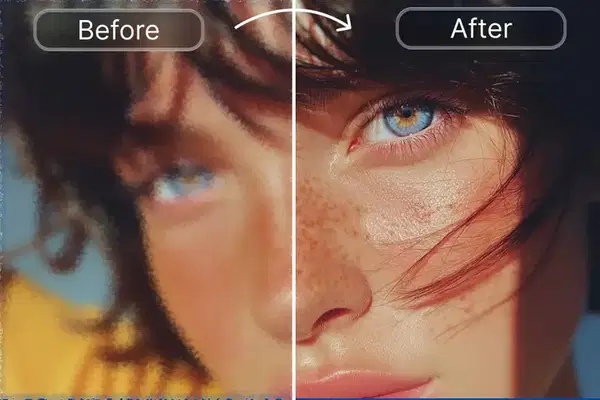
Enhance Photography
Take low-resolution outdoor, nature, or event photos and scale them up without the blur. The AI rebuilds texture in foliage, fabric, and distant objects.
Start Upscaling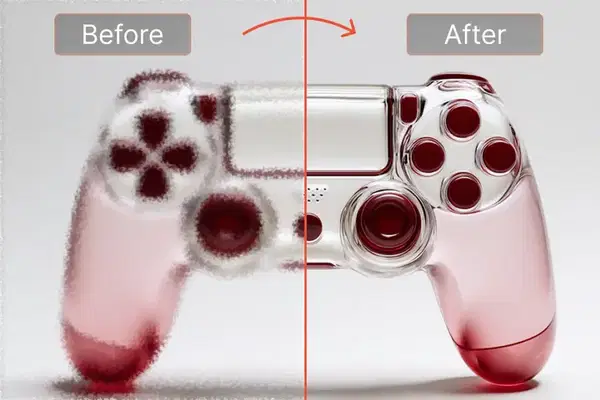
Upscale Products
Small product thumbnails become catalog-ready images. The AI preserves sharp edges on packaging text and product details while adding the resolution you need for print or web.
Start Upscaling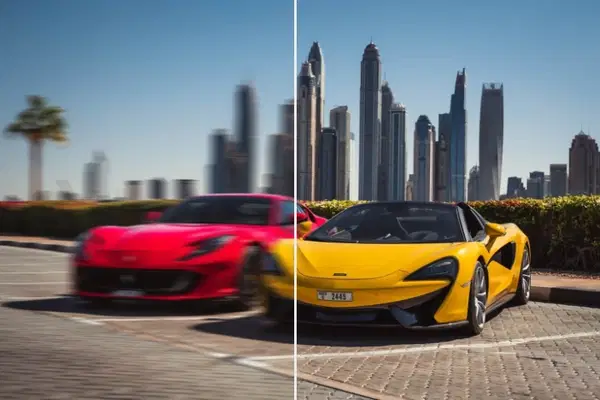
Capture Luxury
Watches, jewelry, handbags — items where fine detail is the selling point. Upscaling preserves stitching, engraving, and material texture so the image looks high-end at any size.
Start UpscalingWhat People Are Saying
Feedback from photographers, print shops, and designers who upscale images regularly.
Showing 6 of 2,867 reviews
"Found a box of family photos from the 80s, scanned them, and ran them through 4x. The AI filled in detail I didn't think was recoverable. Some of them are now printed on canvas in my parents' living room."
"Our older product images were 400px wide. The new site needs 1600px minimum. This upscaler got us there without needing to re-photograph 3,000 SKUs. Huge time and money saver."
"I'm picky about how upscaling treats brush textures. This keeps my strokes looking intentional rather than smoothing everything out. The 2x is better for art — 4x sometimes adds detail that wasn't in the original."
"Customers bring phone photos and want 24x36 prints. Before this, I'd have to turn them away. Now I upscale to 4x, check the quality, and print. Works well for most images."
"We had a bunch of 64x64 pixel sprites that needed to be 256x256 for the new resolution. The AI kept the pixel-art edges clean instead of blurring them. Saved our art team days of manual work."
"When a client sends a 200px wide logo 'from their old website' and expects a billboard, this is the first thing I try. Works more often than you'd think."
Frequently Asked Questions
What's the difference between 2x and 4x upscaling?
2x doubles your image resolution (e.g. 500×500 becomes 1000×1000). 4x quadruples it (500×500 becomes 2000×2000). Go with 2x if you just need a sharper version. Use 4x for print or large files.
How is this different from just resizing in Photoshop?
Regular resizing stretches existing pixels, which makes things blurry. Our AI actually generates new pixel detail — it fills in textures, sharpens edges, and adds clarity that wasn't in the original.
How long does upscaling take?
Usually 10–30 seconds. 4x takes longer than 2x because there's four times as much new detail to generate.
Can I upscale old family photos?
Yes — this is actually one of the most popular use cases. The AI is good at filling in missing detail from old, faded, or low-quality scans.
Will it work on a really blurry photo?
It depends on how blurry. If the image has some detail to work with, the AI can do a lot. Best results come from images that are small but reasonably clear.
What formats can I upload?
We accept JPG, PNG, WebP, TIFF, GIF, and BMP. Max file size is 25MB. The output comes back as high-quality PNG.
How much does it cost?
A free account comes with free credits. Each upscale costs 1 credit — about $0.03 to $0.07 depending on the pack. Credit packs start at $5 for your first purchase, and credits never expire.
Can I use the upscaled image for print?
That's exactly what 4x is for. Take a small web image and turn it into something large enough for a poster, canvas print, or marketing collateral.
Does it work on screenshots and digital graphics?
Yes, and it handles them well. Text, UI elements, logos — the AI keeps sharp edges sharp instead of blurring them.
What about anime or illustrated art?
Works great. The AI is trained on diverse image types including drawn and illustrated content. After upscaling, you can Edit the result or turn it into a 5-second video with AI-generated audio.
Is this also a quality enhancer and quality improver?
Yes — Drawever's upscaler doubles as an image quality enhancer. It upscales resolution while simultaneously improving detail, sharpness, and clarity. Whether you need to upscale an image's resolution or simply improve its overall quality, this tool does both.
What happens to my image after uploading?
Deleted from our servers right after processing. We don't keep copies, we don't use your images for training, and we don't share them.
The result looks weird — what went wrong?
Usually it's because the original image was too compressed or too blurry. Try uploading the highest quality version you can find. You can also use the Edit button afterward to refine specific areas with a text prompt.
Do I need to create an account?
You can try it once without an account. Create a free account for free credits — it takes under 30 seconds and no card is needed.
Is there anything to download or install?
Nothing to download, nothing to install. The tool runs entirely in your browser — on desktop or mobile. Open the page and start immediately.